
Home Office Decor Ideas for Productivity
Working from home is now a normal part of American life, whether full-time, hybrid, or for a side business. Yet many home offices are still a laptop on a kitchen table, a spare bedroom corner, or a desk facing a blank wall with poor light. That setup costs productivity every day: back pain, eye strain, distractions, and a blurred line between work and home. A well-decorated home office does not need to be large or expensive. It needs good ergonomics, good light, clear storage, and a visual boundary that tells your brain it is time to work.
Productivity in a home office comes from three things: a comfortable body, a calm eye, and a clear mind. Ergonomics protects your body, a tidy and pleasant visual environment protects your focus, and systems for papers, cables, and tasks protect your mind from constant small distractions. Decor that supports all three is not a luxury; it is part of doing good work.
Ergonomics First: Chair, Desk, and Screen
Start with ergonomics before decoration. Your chair should support your lower back, allow your feet to rest flat on the floor, and let your elbows sit at about 90 degrees. Your screen should be at eye level, about an arm’s length away, so you are not looking down or up for hours. A desk at standard height works for most people, but a sit-stand desk or a laptop stand plus an external keyboard can transform comfort if you sit all day.
- Adjust chair height, lumbar support, and armrests before buying new decor.
- Use a monitor arm or stand to raise the screen to eye level.
- Keep a footrest if your feet do not reach the floor comfortably.
- Take a short break every hour to stand, stretch, and look away from the screen.
Light, Color, and Focus
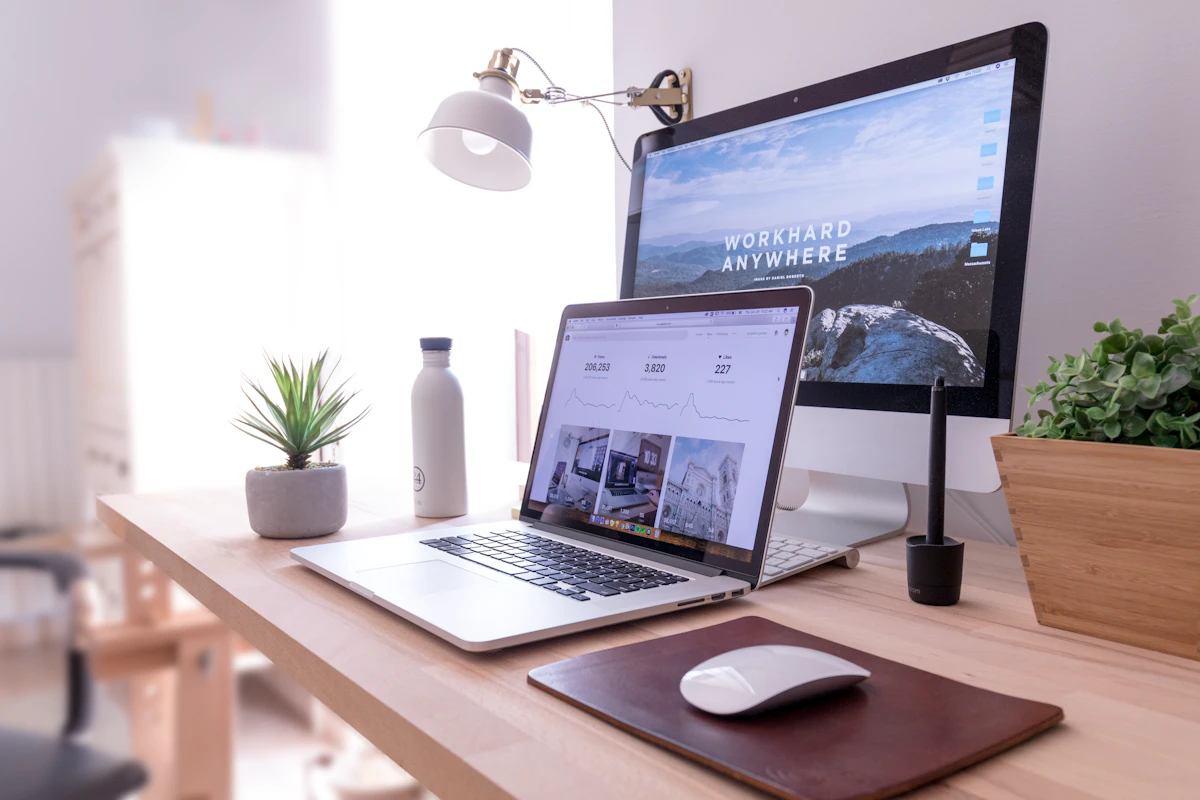
Natural light is the best home office light, so place your desk near a window if possible, with light coming from the side rather than directly behind or in front of your screen. Add a good desk lamp with adjustable brightness and color temperature for cloudy days and evening work. Avoid a single harsh overhead light, which causes glare and eye strain.
Color affects focus too. Soft blue, sage green, warm grey, and cream are calm and suitable for long work sessions. Avoid bright red or neon accents on large surfaces, which can feel stimulating over a full day. Add one or two personal touches — a plant, a framed photo, or art you love — but keep the desk surface mostly clear. A clear desk is not about minimalism for its own sake; it is about reducing the number of things competing for your attention.
Storage, Cables, and Boundaries
Clutter is a productivity killer because every paper, cable, and object is a small unfinished task for your brain. Use a filing system for papers, a drawer or box for supplies, and cable clips or a cable tray to keep cords off the floor and out of sight. A bookshelf or wall shelf keeps reference books and binders accessible without covering the desk. At the end of each workday, spend two minutes clearing the desk and writing tomorrow’s top three tasks; this ritual helps you switch off and start faster the next morning.
Boundaries matter most when your office is in a shared room. Use a rug, a bookshelf, a curtain, or a room divider to mark the work zone, and agree with family or housemates on work hours and quiet times. Noise-canceling headphones, a door sign, or a simple “in a meeting” signal can protect focus without a separate room. If you use video calls, choose a clean, neutral background or a bookshelf that looks tidy on camera.
Home Office Setup Compared
| Element | Productivity Choice | Common Mistake |
|---|---|---|
| Chair | Ergonomic, adjustable, lumbar support | Dining chair for eight hours |
| Screen | Eye level, arm’s length away | Laptop screen too low |
| Lighting | Side window light plus desk lamp | Single harsh overhead light |
| Storage | Closed drawers, cable tray | Papers and cables everywhere |
| Background | Neutral wall or tidy shelf | Cluttered bed or kitchen behind |
Pros and Cons of a Dedicated Home Office
- Pros: Better focus, better posture, and a clearer boundary between work and home life.
- Pros: A pleasant office makes long workdays more comfortable and professional on video calls.
- Cons: A separate room is not available in every home, so zoning and boundaries are essential.
- Cons: Good ergonomic furniture costs more upfront, though it often saves health costs later.

Home Office Essentials Checklist
- Ergonomic chair, desk at the right height, and screen at eye level.
- Natural side light plus an adjustable desk lamp.
- Closed storage for papers and supplies, and a cable management tray.
- One plant, one personal item, and a clear desk surface.
- A daily shutdown ritual: clear desk, list tomorrow’s top three tasks.
Frequently Asked Questions
What is the best place for a home office in a small home?
Choose a quiet corner near natural light, away from the television and kitchen traffic if possible. Use a rug, shelf, or divider to mark the zone, and keep work items in one place so the area can be tidied quickly.
Do I need an expensive ergonomic chair?
You need a chair that supports your back and lets your feet rest flat, but it does not have to be the most expensive model. Try chairs in person if possible, adjust lumbar support and height, and add a cushion if needed.
How do I reduce video call background clutter?
Face a neutral wall or a tidy bookshelf, remove personal items from view, and use good front lighting. A simple background looks more professional than a virtual background that glitches during calls.
What color is best for a home office?
Soft blue, sage green, warm grey, and cream are calm and suitable for long work sessions. Add personality through one art piece or plant, rather than painting the whole room in a bold, stimulating color.
How do I switch off after working from home?
Use a shutdown ritual: clear your desk, close work tabs, list tomorrow’s tasks, and physically leave the work zone. Changing clothes, taking a walk, or closing a room divider helps signal the end of the workday.
Conclusion
A productive home office is built on ergonomics, light, and clear systems, not on expensive decor. Fix your chair and screen height, add good light, clear the desk, and mark a boundary for work. With those foundations, even a small corner can support focused, comfortable work every day.